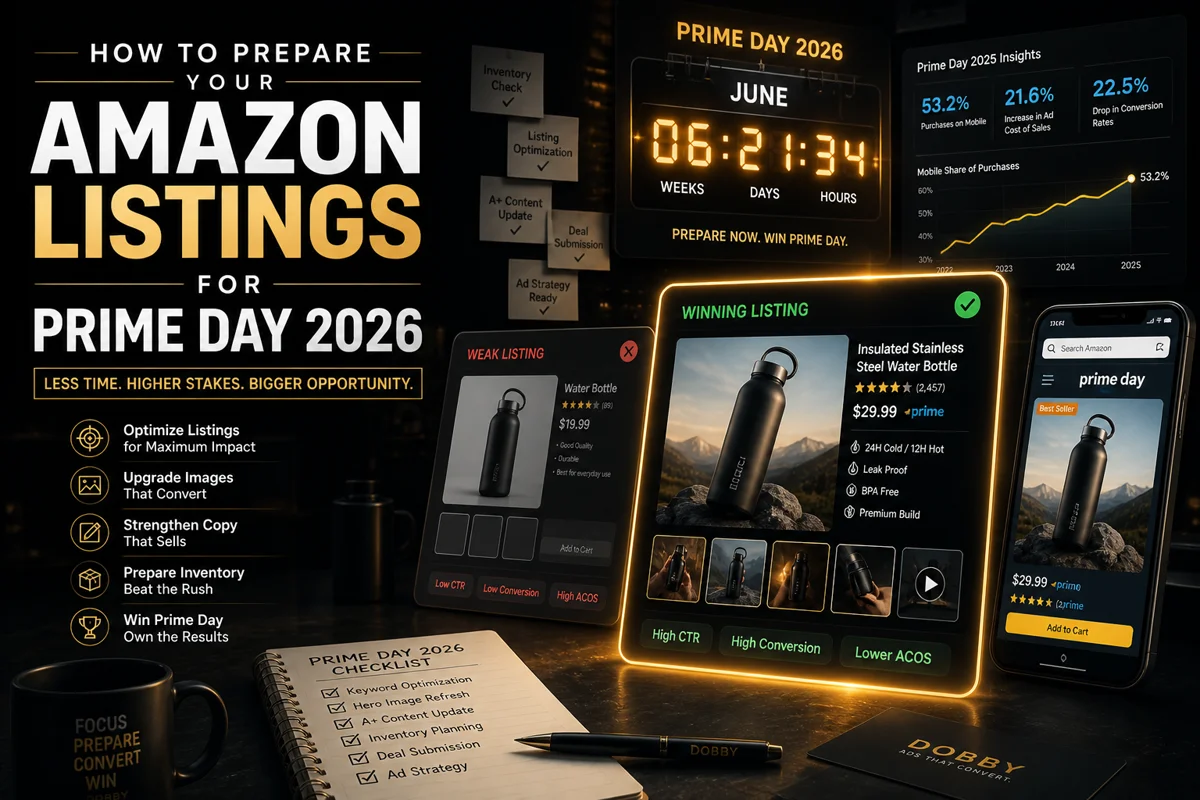
Most Amazon sellers treat images as a design problem. They're a conversion problem.
A professionally lit photo of the wrong angle, with the wrong framing, on the wrong slot will not convert. And in 2026, the cost of getting it wrong is higher than ever. Amazon's automated image enforcement has tightened noticeably since late 2025 — automated suppression now flags listings without warning, and the platform reserves the right to replace your images with a competitor's if theirs comply better with platform standards.
These are the seven image mistakes that quietly drain conversion rates across thousands of Amazon listings. Most sellers are making at least three of them right now.
Mistake 1: Hero Images Designed for Desktop, Not Mobile
The biggest gap between sellers who win and sellers who lose on Amazon is mobile thinking.
Adobe Analytics found that 53.2% of Prime Day 2025 purchases came from mobile devices, and that share is growing. But most sellers still review their hero images on a desktop monitor at full resolution, where everything looks fine. Then they wonder why their click-through rate is flat.
Here's the test. Pull up your top ASIN. Shrink the hero image to 200 pixels wide — the rough size it appears as a thumbnail in mobile search results. Can you instantly tell what the product is? Can you tell why someone should care about it more than the product next to it?
If the answer is no, your hero image is bleeding clicks.
What this looks like in practice:
- Products shot from too far away, leaving too much white space around them
- Multiple SKU components shown at scale where details disappear at thumbnail size
- Subtle product features (texture, finish, transparency) that look great at full resolution and turn into a blob when shrunk
- Color choices that contrast beautifully on a calibrated screen but blend together on a low-brightness phone display
The fix is to design every hero image for the smallest screen first. Crop tighter than feels comfortable. Use higher contrast than feels right. Test at thumbnail size before testing at full size.
Mistake 2: Background Color That Looks White But Isn't
Amazon requires the main image background to be pure white — RGB 255, 255, 255. Most sellers think they're hitting that. They're often not.
The most common failure is RGB 252, 252, 252 or 250, 250, 250. The image looks white to the human eye. Amazon's automated systems do not see it that way. Amazon's image enforcement has tightened noticeably since late 2025, and listings with even slight deviations from pure white can be flagged and suppressed without seller notification.
A suppressed listing on Prime Day, Black Friday, or any high-traffic period is unrecoverable.
The fix is mechanical, not creative. After exporting your hero image, open it in any image editor with a color picker tool. Click on the background. Read the RGB values. If the numbers are not 255, 255, 255 exactly, fix them before uploading. This is the single most preventable mistake on this list, and it kills more listings than any other image issue.
Mistake 3: Products That Don't Fill the Frame
Amazon requires the product to occupy at least 85% of the image frame. Best-performing listings push this closer to 90 to 95%. Most sellers leave 30 to 50% of the frame as white space.
This isn't just a compliance issue. It's a perception issue. When your product is small in a sea of white space, it visually competes with neighboring products in search results and loses. Shoppers scanning a results grid pick the listings where the product is large, clear, and immediately recognizable. Tiny products in big frames signal low quality, even when the product itself is excellent.
The fix is to crop tighter. Best-performing hero images use a 1:1 square aspect ratio at 2000 by 2000 pixels minimum, with the product centered and filling roughly 90% of the frame.
Mistake 4: Hero Images With Text, Badges, or Promotional Graphics
The thinking goes: if my product is on sale, I should put a "30% Off" badge on the hero image. If my product won an award, I should add a "Best Seller" graphic. This is wrong.
Amazon's policy is unambiguous. The main image cannot contain any text, logos, watermarks, badges, color blocks, or graphics. The product itself, on a pure white background, full stop.
Listings that violate this get suppressed — sometimes immediately, sometimes during a routine automated review weeks after the violation was added. The cost of breaking the rule is far higher than any short-term lift you'd get from a "Sale" badge. Save the marketing for slots 2 through 7.
Mistake 5: An Image Stack That Doesn't Answer Buyer Objections
The hero image earns the click. The next six images earn the sale. Most sellers waste those six slots showing the same product from slightly different angles. None of those images are answering the questions a real shopper actually has.
Real shoppers want to know:
- How big is this thing? (Size and scale comparison shot)
- What's it actually like to use? (Lifestyle shot in real context)
- What are the key features I'd care about? (Feature callout graphics)
- How is this different from the cheaper alternative? (Comparison chart)
- What do I get when this arrives? (Packaging or what's in the box)
- Why should I trust this brand? (Social proof, certifications, review highlights)
A high-converting image stack typically follows this sequence: hero, lifestyle, feature callouts, size and scale, comparison, trust and social proof, packaging. Industry research consistently shows that listings using all available image slots with strategic, varied imagery convert significantly better than those with minimal pictures.
Mistake 6: Misleading or Over-Edited Images That Drive Returns
Over-saturated colors. Exaggerated scale. Edited-out flaws. AI-enhanced lifestyle backgrounds that make the product look more premium than it actually is. All of these can lift conversion in the short term. They also create an expectation gap between what the shopper saw and what arrives at their door. That gap becomes returns.
Return rate is the silent killer of Amazon profitability. A 15%+ return rate makes most products financially unviable regardless of how much traffic you drive. And misleading imagery is one of the most common causes of preventable returns. Worse, return reasons that mention "not as described" or "looks different than the photos" hurt your account health metrics and can suppress your listing entirely.
The fix is honest editing. Color-correct to match the actual product, don't oversaturate. Show realistic scale, don't exaggerate it. Use AI tools to extend backgrounds and create variant imagery, but always start from a real photograph of the actual product.
Mistake 7: Variations That All Use the Same Image
If you sell a product in three colors and all three variants share the same hero image with a different color swap, you're invisible for two-thirds of your potential search traffic.
Amazon indexes images. Each variant should have its own optimized hero, its own optimized image stack, and its own slight differentiation in the supporting graphics. This applies to:
- Color variations that share a single hero with a swatch overlay
- Size variations where the smaller size is photographed identically to the larger one
- Pack-size variations (single, 2-pack, 4-pack) that all show the same single-unit photo
- Style variations that don't visually distinguish themselves at thumbnail size
This is where AI creative tools earn their keep. Producing 12 unique image stacks for 12 product variants used to require a 12-day photoshoot and a five-figure invoice. Done well with AI, the same output can be produced in days, with much lower production cost.
What This Means in Practice
If you recognized your own listings in three or more of these mistakes, you're not alone. The order to fix them in:
- First, audit for compliance issues. Mistakes 2 and 4 can suppress your listing entirely. Fix the white background and remove any text or badges from hero images today.
- Then, fix the conversion killers. Mistakes 1, 3, and 6 directly lower click-through and conversion.
- Finally, build for scale. Mistakes 5 and 7 are about strategic completeness. A full image stack for every variant is a project, but it compounds.
The brands that win Amazon in 2026 are not the ones with the prettiest images. They're the ones with the most strategic ones — the ones treating every image slot as a conversion lever and every variant as its own product.
Frequently Asked Questions
What is the most common Amazon listing image mistake?
The most common mistake is using a near-white background that isn't pure RGB 255, 255, 255. Many sellers think their backgrounds are white when they're actually 252, 252, 252 or similar. Amazon's automated systems flag these as policy violations and can suppress the listing without notification.
Can my Amazon listing be suppressed for image violations?
Yes. Amazon's automated image enforcement has tightened noticeably since late 2025. Listings with non-pure-white backgrounds, prohibited text on the main image, products filling less than 85% of the frame, or resolution below 1000 pixels can be flagged and suppressed automatically.
What size should Amazon listing images be in 2026?
Minimum 1000 pixels on the longest side to enable zoom functionality. Recommended is 2000 pixels or larger. Best practice is a square 2000 by 2000 pixel image, with the product filling at least 85% of the frame and a pure white RGB 255, 255, 255 background.
How many images should an Amazon listing have?
Use all available image slots. Most categories allow 7 or more images. The key word is strategic — seven angles of the same product won't move the needle. Seven images that each answer a specific buyer objection will.
Are AI-generated images allowed on Amazon listings?
Yes, with limits. Amazon's 2026 policy allows AI tools for enhancing real product photos, generating lifestyle backgrounds, and creating infographics. AI cannot be used to fabricate a product representation that misleads buyers about color, size, materials, or what's in the box.
Should each product variation have its own image set?
Yes. Every color, size, or style variation should have variant-specific imagery, especially for the hero image. Listings where variants share identical images lose ranking on color-specific or size-specific search queries.